


Nightmare Before Christmas Birthday Video Invitation, Moon And Zero
Nightmare Before Christmas Birthday Video Invitation, Moon And Zero
Your design. A big day.
Digital Canva template · Edit it yourself · Share or print
No physical invitations are included with this purchase.
A little help with this design?
Print this design — from $2610 / 20 / 30 cards + white envelopesDesign included · Free US & UK delivery only Personalize for me — $8.99We add your details · Canva link by email
Template included · Nothing is shipped
Choose one option. Printed invitations and personalization each include the design; you don’t need to buy the template separately.
Couldn't load pickup availability
About this design
With this birthday invitation, host a relaxed Halloween bday for a fan who loves ghost stories with a friendly ending. The yellow and deep purple palette sets a friendly tone for the celebration.
Open the moon and zero design in Canva and add your celebration details. Send this yellow and deep purple animated invitation by text or email as a 1080x1920 px MP4 for phones.
Decorate with a crescent moon backdrop and floating paper ghosts, using the invitation's yellow and deep purple colors to tie the party together. For playtime, let friends toss soft rings at ghost cones and draw imaginary haunted pets. Finish the games with white ghost cookies with a bowl of purple candies. Try a wording idea that invites friends to float over for birthday fun beneath a crooked yellow moon.
- Size: 1080x1920 px vertical video for phones
- Edit in: Canva with a free account, on a phone or a computer
- Download: MP4 video from Canva to send by text, email or social media
- You receive: a PDF with your template link and a short guide
What you receive
A self-editable digital invitation template for Canva. After purchase, open the file attached to your order for the template link and instructions.
See the product images and full listing details below for this design’s contents. Printing and shipping are not included.
Edit, download & share
- Open the template link and choose Use template in Canva.
- Add your wording and check the date, location and RSVP details.
- Download a PNG or JPG to send digitally, or a PDF Print for printing.
A Canva account is needed. Follow the instructions supplied with this design for its editable elements and available sizes.
See the visual guidePrinting choices & tips
Print at home or use a print service that accepts your file. Before exporting, confirm the finished size, paper, bleed and crop-mark requirements with your printer.
Use PDF Print, print at actual size and check one proof before printing the full set. Screen and print colors may differ.
Prefer to order your own prints? Visit Prints of Love (external print service). Confirm the artwork requirements, options and prices before ordering.
Need help arranging printing? Contact us about a separate printing request. Availability, price and delivery must be agreed separately; this product remains a digital template.
Full listing details & terms
How it works
- After checkout, download the PDF attached to your order. It is also in your order email.
- Open the template link in the PDF and click "Use template". Canva asks you to sign in or create a free account.
- Edit the wording, then download a PDF Print file for paper or a PNG or JPG file to send.
Good to know
- This is a digital template. We do not ship or print anything.
- You edit the template yourself in Canva. We do not edit it for you.
- Because the file is digital, we cannot refund or exchange it after purchase.
- Names, ages and party details in the photos are examples only.
- Screen and printer colors can look a little different.
Disclaimer: You pay for the design work and the time we spent on the template. It is for personal, one-time use, such as one birthday party. Do not resell, share or use it for business. We do not own the characters or artwork shown; the copyright stays with the rights holders. Some print shops refuse to print licensed characters, so print at home or at a self-service printer.


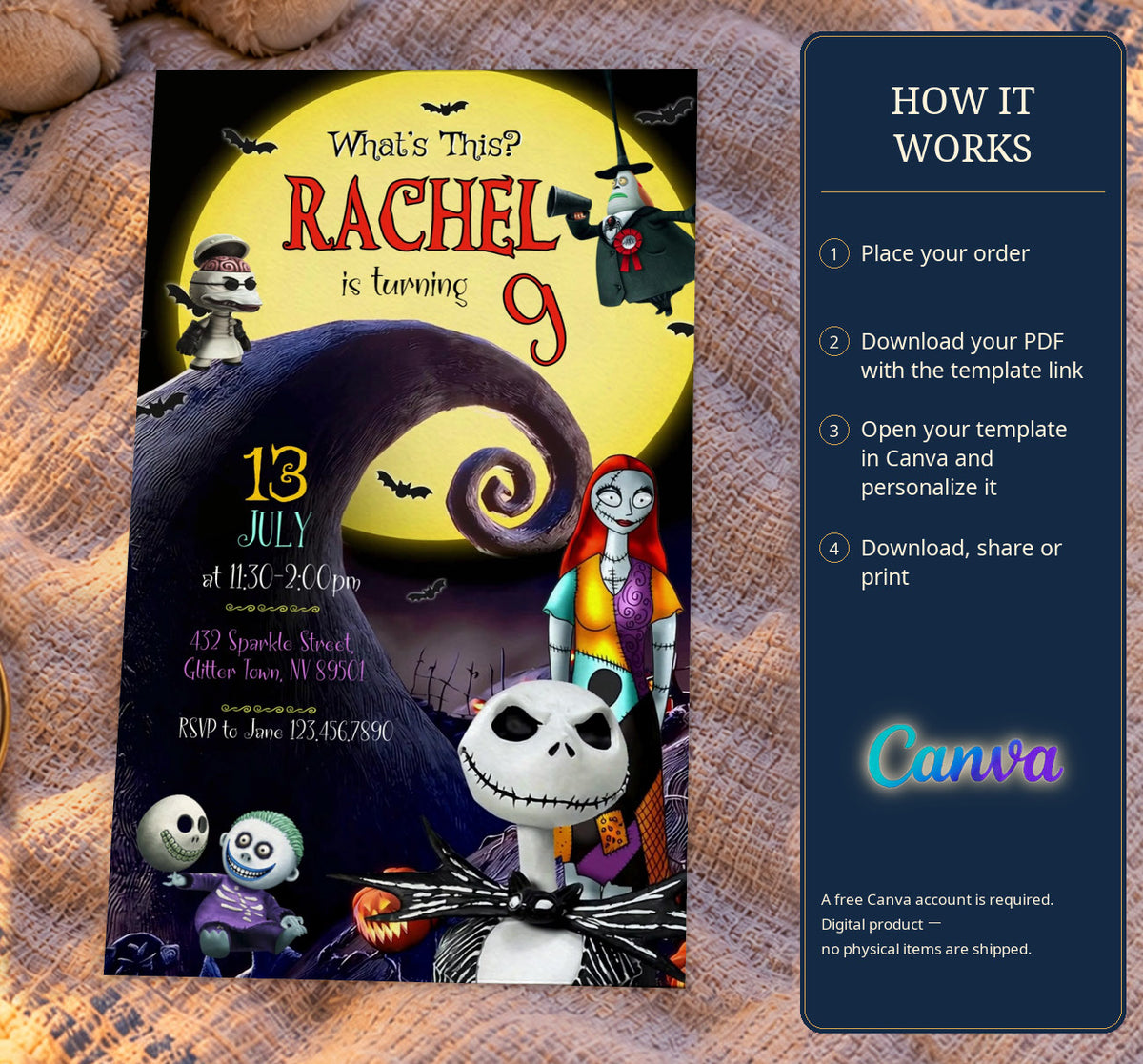
FROM A LITTLE IDEA TO A BIG CELEBRATION
Make it yours. Then send the excitement.
A few personal details, a download, and you’re ready to invite.
-
01
Make it personal
Open your order’s template link in Canva. Add the birthday name, the party details and your RSVP information.
-
02
Choose your download
Check the spelling and date, then download an image for sharing or a PDF Print file for paper invitations.
-
03
Share the moment
Send your downloaded invitation by message or email. Share the finished design with your guests.
-
04
Prefer paper?
Confirm your printer’s size and bleed settings. Print one proof, then make a set for the celebration.


A little help with the paper part?
Ask about assisted printing before making a separate arrangement. We’ll confirm what’s possible, the price and delivery details. Your template purchase does not include printed items.